Apple Watch Theater Mode: What It Is and When to Use It
Apple Watch has a Theater Mode that turns off the display and sound but keeps vibration alerts. It suits cinemas, plays and meetings.
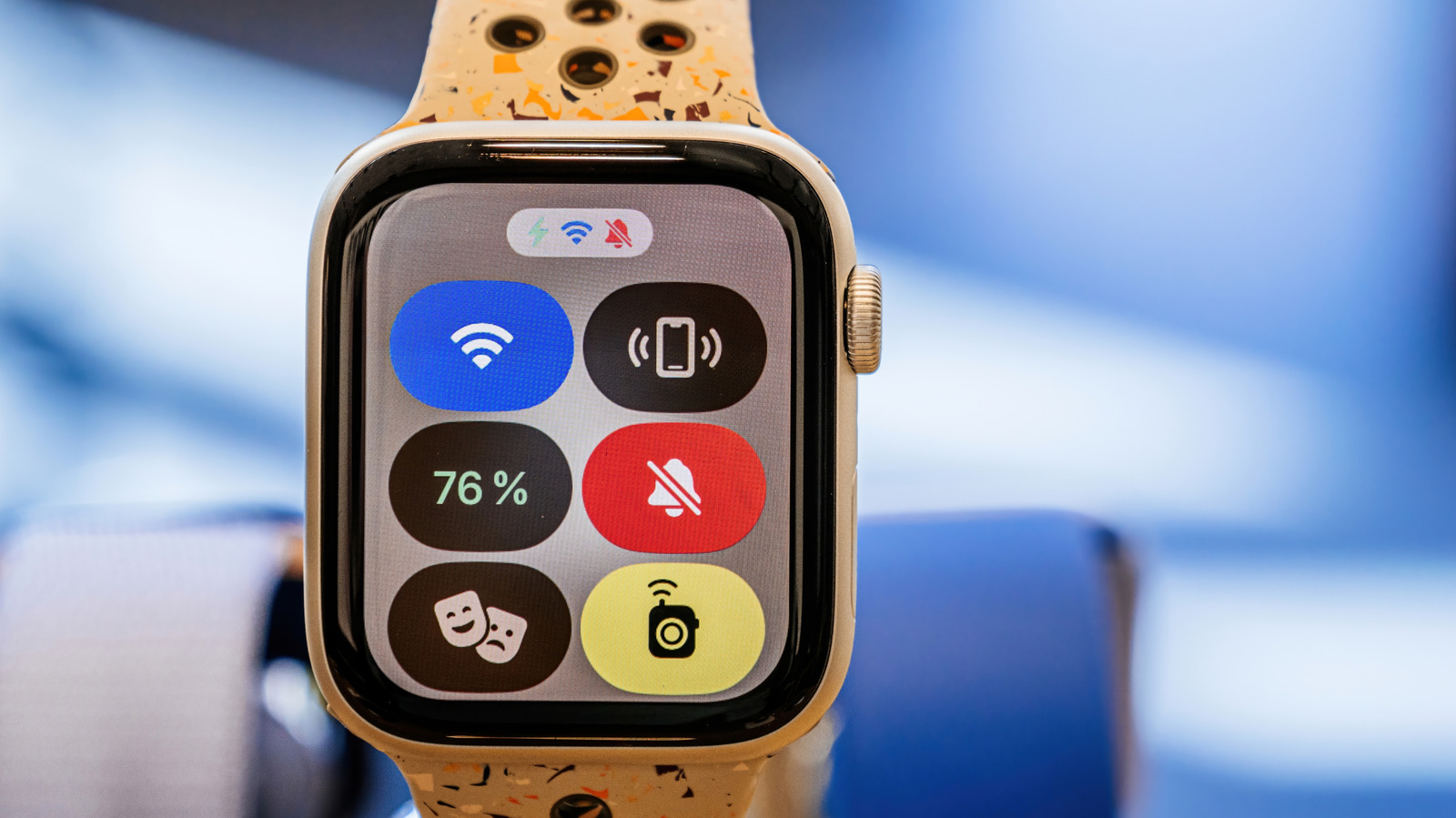
Apple Watch smartwatches include a feature called Theater Mode, designed for situations when the watch needs to stay quiet and unobtrusive, such as in a cinema, at a play or in a meeting. It has been available since watchOS 3.2, the watch operating system update, so even the original Apple Watch, which went on sale in 2015, can use it.
What the mode changes
When Theater Mode is on, the watch display is switched off, sound is muted and visual notifications are disabled. The screen also does not light up when the wrist is raised, so it has to be woken by tapping it or pressing one of the watch's buttons.
The main difference from Do Not Disturb is that Theater Mode leaves haptics enabled, so a notification can still be felt as a vibration. Alerts are therefore not blocked completely, only made less noticeable.
How to turn it on
Press the side button, the flat oval one, to open Control Center, then tap the icon showing the comedy and tragedy theater masks. Unlike Do Not Disturb, Theater Mode cannot be set to switch off after a certain time or event, so it has to be turned off manually.
Other benefits
The mode is useful beyond cultural events, including in meetings and other social occasions that need full attention. It can also reduce battery drain, because the watch does not wake its screen with every small gesture. In addition, some biometric readings, such as blood oxygen measurements, can be suppressed while the mode is active. This can be adjusted in the watch's settings by choosing the relevant reading.