iOS 27 brings smarter object removal to Photos: Clean Up, Extend, and Reframe explained
Apple's iOS 27 update enhances the Photos app with an improved AI Clean Up tool, plus new Extend and Reframe features. These tools are available on iPhone 15 Pro and newer with Apple Intelligence enabled.
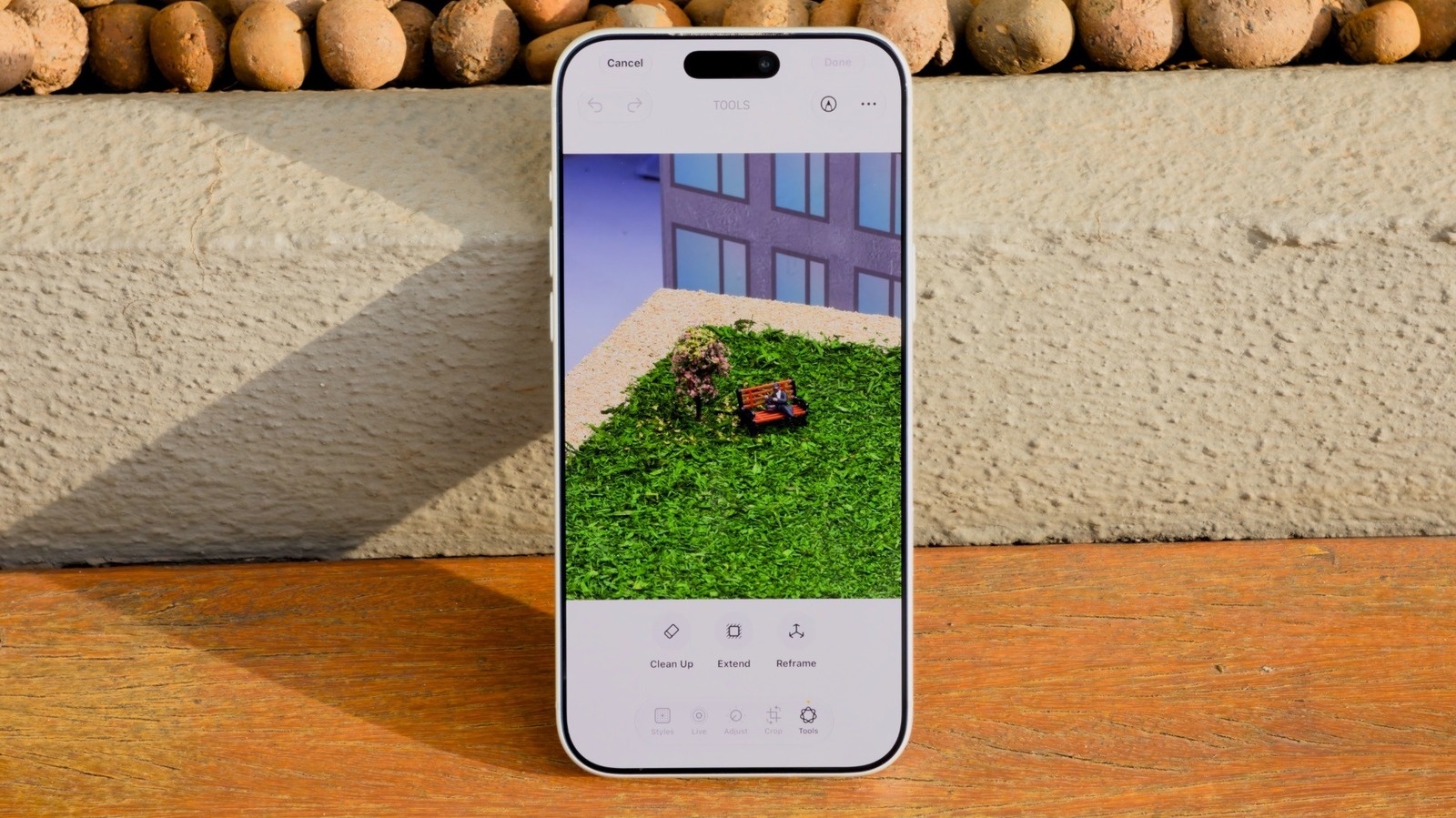
With each iOS iteration, Apple strengthens its AI capabilities. The upcoming iOS 27 update focuses heavily on artificial intelligence, and the Photos app benefits significantly. Among the improvements is Clean Up, a feature that was introduced with the redesign of Photos in iOS 18 but historically underperformed compared to rival editing tools. Thanks to updated AI models, Clean Up now delivers far more accurate object removal.
To use the enhanced Clean Up, your device must run iOS 27 and have Apple Intelligence turned on. This requirement limits compatibility to iPhone 15 Pro and later models. Older iPhones will not have access.
The workflow for Clean Up is simple. In the Photos app, select an image and tap Edit, then choose Tools and hit Clean Up. A key addition is a new Auto button positioned at the top, which lets users switch between processing modes. When Auto is selected, the phone automatically picks the appropriate mode based on image complexity.
Two modes are available: Fast and High Quality. Fast relies on a smaller AI model and completes retouching quickly. For straightforward tasks like removing a rubbish bin from a landscape or erasing cables attached to streetlights, Fast works well. High Quality allocates more advanced models to handle intricate edits. For instance, if a selfie is ruined by a crowd in the background, High Quality provides better contextual understanding. However, this premium mode consumes more time and battery.
Clean Up sometimes attempts to identify unknown objects for removal, but the recognition is not always reliable. A more dependable method is to manually circle the unwanted item.
Beyond Clean Up, iOS 27 introduces two additional AI-driven photo editors. Extend enlarges the canvas around an image, generating contextual content. If a selfie is too tightly cropped to the subject's face, Extend can reconstruct the surroundings with a simple pinch-to-zoom-out gesture. The process may be slow, but that's expected.
Reframe changes the viewing angle of a photo. For example, if the subject wasn't facing the camera, Reframe can adjust their direction without retaking the shot. Quality varies widely: some images look natural, while others become clearly artificial, with hallucinated objects or people. It's worth experimenting if you dislike the original, but expectations should remain modest. Preventing mistakes through good photography is still the best approach.


