How to turn photos into custom stickers with ChatGPT
OpenAI's ChatGPT app now includes a dedicated workflow for turning photos into sticker packs that can be sent directly through iMessage or WhatsApp. The whole process takes just a few taps in the mobile app.
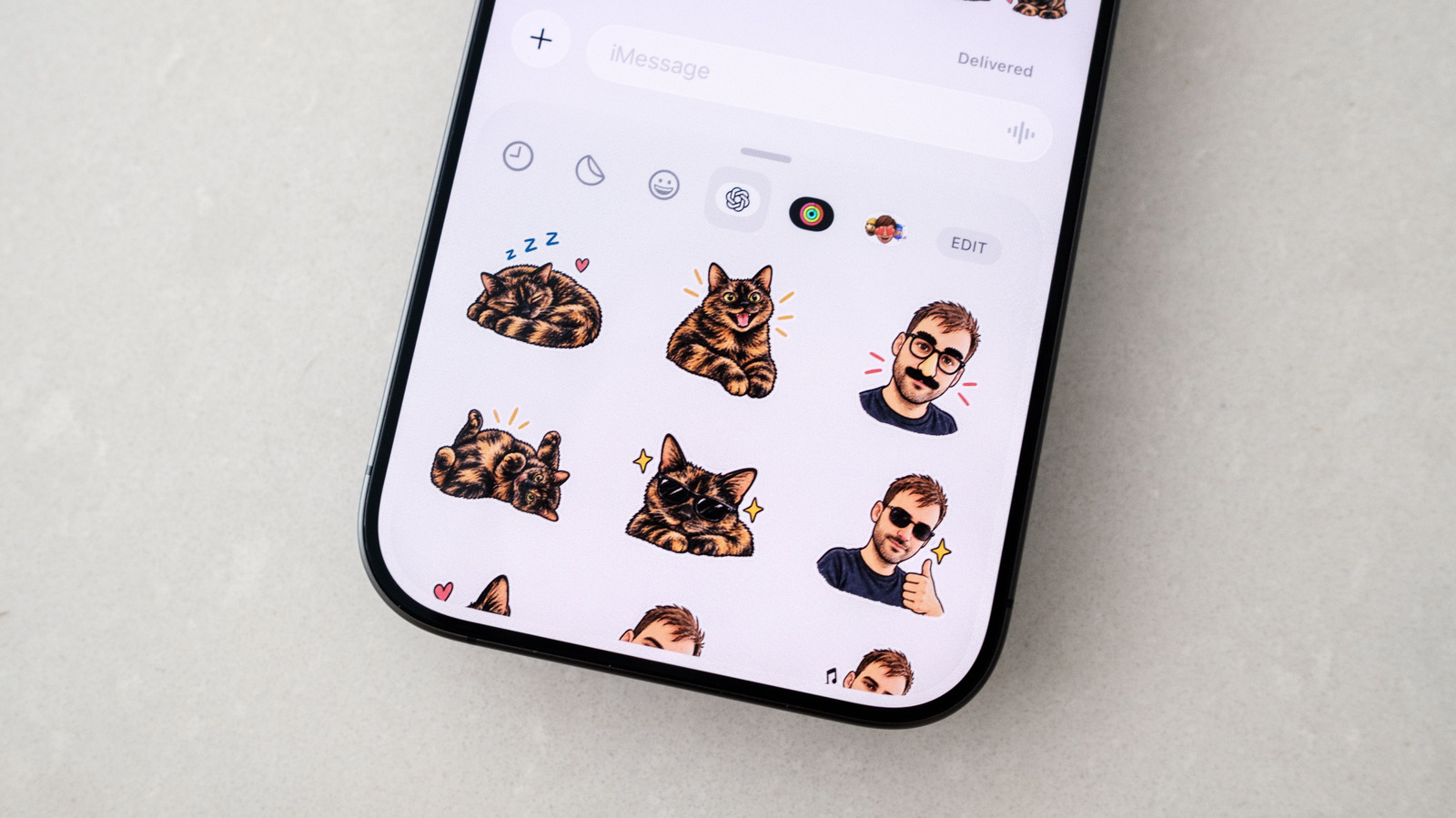
Stickers have become a popular way to add warmth and nuance to text conversations, conveying emotions that words alone sometimes miss. While Apple has long let iOS users turn their own photos into stickers, that built-in option offers limited creative flexibility. OpenAI has now added a more capable alternative directly inside the ChatGPT app.
How the feature works
The sticker workflow is available in the ChatGPT mobile app on both iOS and Android, under the Images section. From there, users select the Stickers option under the Trending tab, then choose a style, a reference photo or photos, and emoji that help guide the tone of the result. ChatGPT then generates a set of nine stickers ready to be added to a messaging app.
If the results look good, users can tap to add them straight to iMessage or WhatsApp — WhatsApp requires naming the sticker pack first. The iMessage option only appears for iOS users. If a sticker isn't quite right, tapping it and selecting Edit allows for text-based tweaks, or the whole set can be regenerated from scratch.
Users can also skip the guided flow entirely and write their own prompt describing the sticker they want, which can help ChatGPT stay closer to the original source photo. Sending finished stickers works the same way as sending any other sticker: through the Stickers option in Messages' plus menu, or via the sticker icon in WhatsApp's compose bar.
One thing to keep in mind is that every sticker generated this way counts toward a user's daily and weekly ChatGPT usage limits, which could matter for those on a free account.