Gemini and Find Hub can now help you remember where you keep important documents
Google has combined Gemini and Find Hub to let users save and later recall the location of important items like passports, even without a compatible tracking tag.
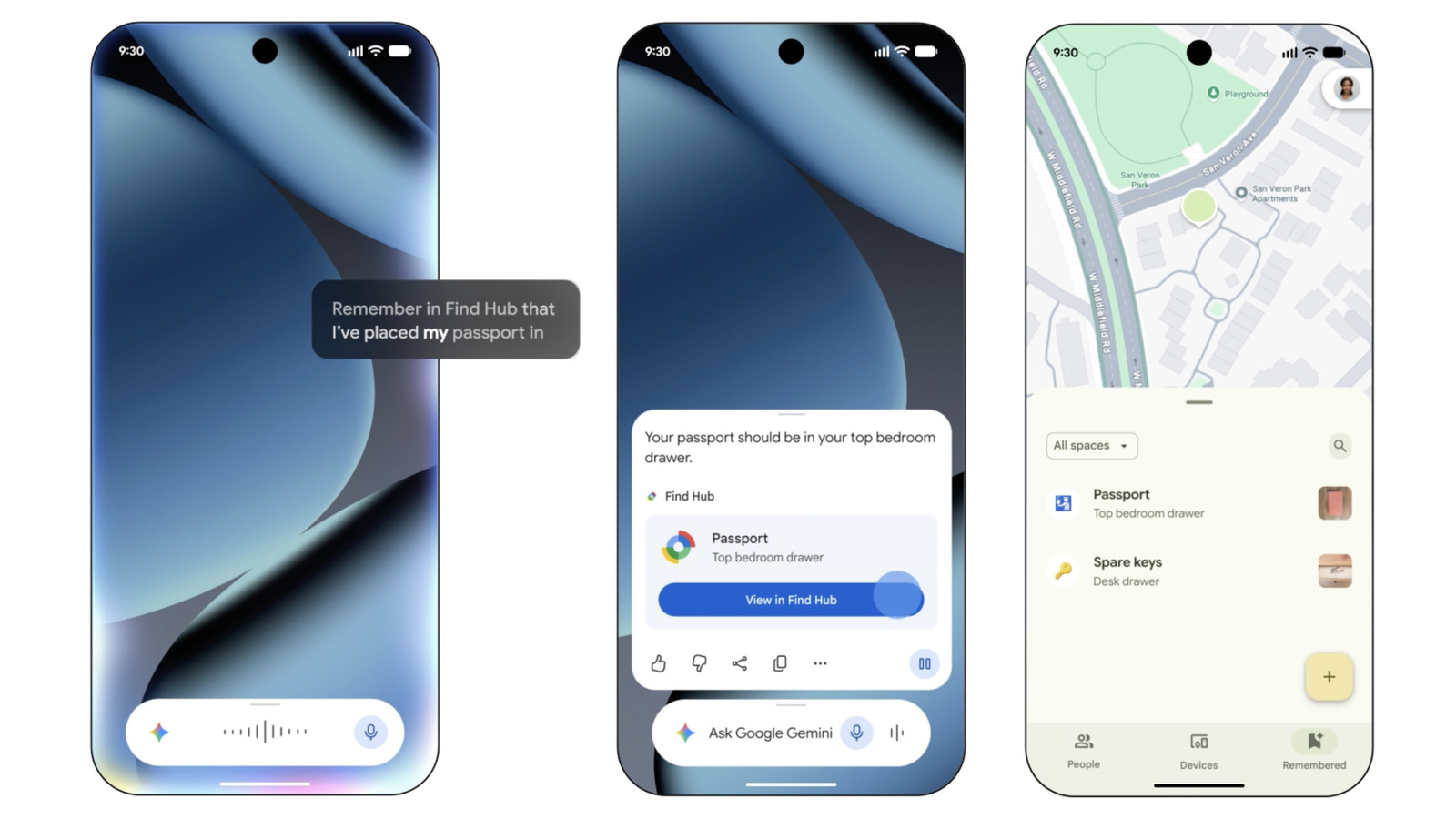
Google has introduced a way to combine its Gemini assistant with the Find Hub tracking tool to help users remember where they've stored important belongings, such as passports, birth certificates or social security cards. Unlike other Find Hub features, this option doesn't require a compatible tracking tag.
Setting it up
Users first need to make sure Find Hub is enabled, either by downloading the Find Hub app or checking Settings > Google > All services > Find Hub. Next, Gemini should be set as the device's default assistant through the Google app, by tapping the profile icon and selecting Gemini under Digital assistants from Google.
Once set up, users can simply tell Gemini where they've placed an item, for example by saying: "Hey Google, remember in Find Hub that I put my passport in the vault." Gemini confirms the location has been saved and provides a link to Find Hub, where users can add a photo, a precise address, or additional notes. Items can also be added manually through the Find Hub app's Remembered tab using the manual entry option.
Retrieving saved locations
When it's time to recall where something was stored, users can simply ask Gemini, for instance: "Hey Google, where did I keep my passport?" The assistant will respond with the last known location and a link to Find Hub. Alternatively, users can open the Find Hub app directly and browse all saved items under the Remembered tab, where photos, locations and notes are displayed.