How to check your iPhone's battery health and cycle count
Apple's iPhones include built-in tools for checking battery health and charge cycle count, helping users know when a battery replacement may be needed. This is also useful when buying a used iPhone.
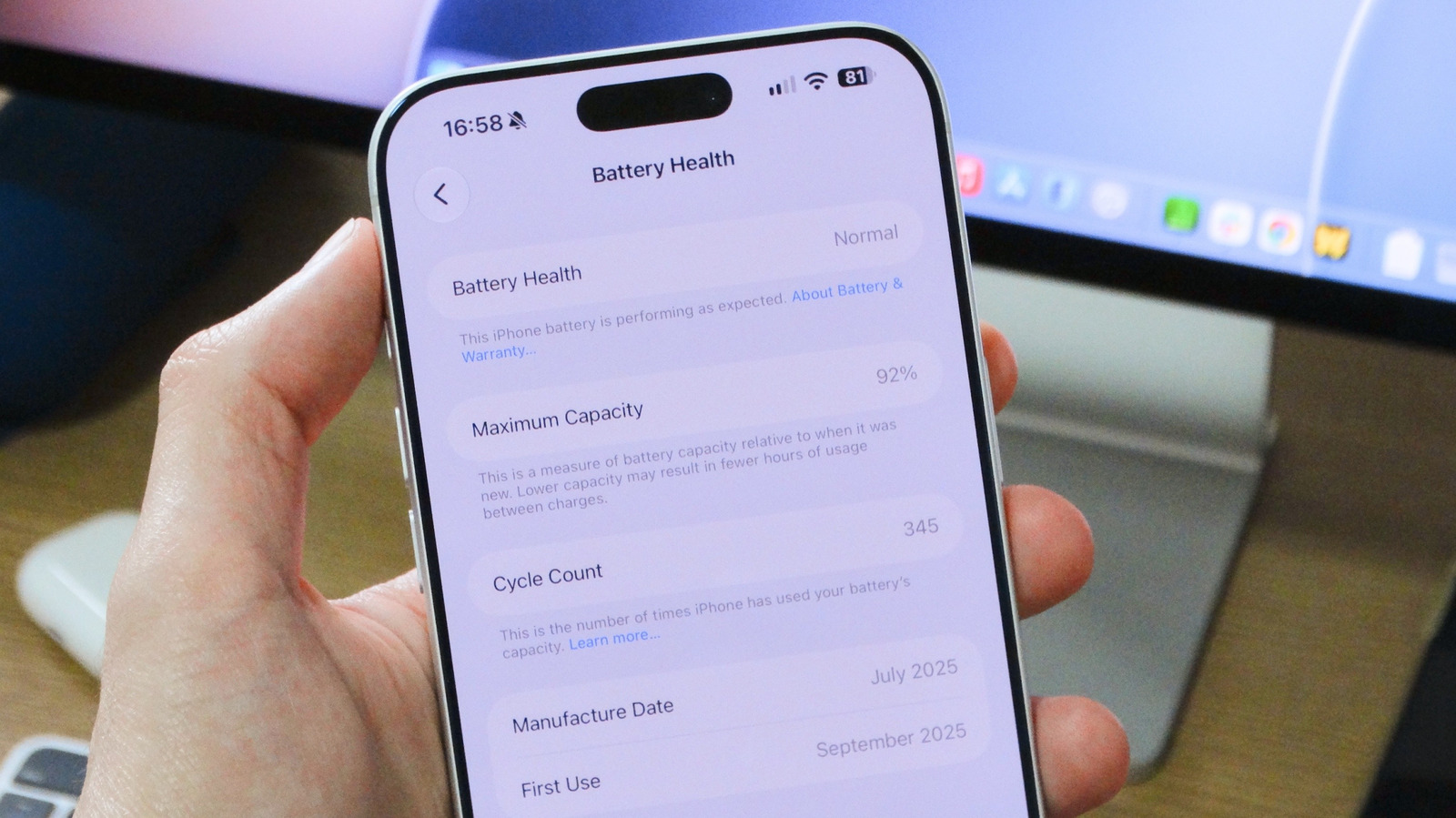
All rechargeable batteries degrade chemically over time, gradually holding less charge. Apple builds tools directly into iOS that let users track both battery health and charge cycle count, giving insight into whether a battery is performing as expected and when it might need replacing.
To check battery health, open Settings, tap Battery, and look for the Battery Health section. On older models like the iPhone 13, this section carries a slightly different name but shows the same information.
What the percentages mean
The Maximum Capacity figure shows how the battery compares to when it was new. Apple states a typical battery is designed to retain up to 80 percent of its original capacity under normal use — for iPhone 15 and later, that estimate is based on 1,000 full charge cycles, while older models are rated for up to 500 cycles. Once battery health falls below 80 percent, the phone still works, but users will likely notice noticeably shorter battery life. In some cases, iOS may enable extra performance management features to prevent unexpected shutdowns caused by a severely degraded battery.
To slow battery wear, users can enable Optimized Battery Charging, which learns daily charging habits and pauses charging at 80 percent, completing it only shortly before the device is typically needed. iPhone 15 and later models also allow setting a maximum charge limit.
Cycle count
On iPhone 15 and newer, the cycle count appears in the same Battery Health section. Older models don't offer this natively, requiring third-party tools such as the Mac app coconutBattery. One charge cycle equals using 100 percent of the battery's current capacity, which can be spread across multiple charging sessions. iPhone 15 and later models are rated for up to 1,000 cycles, while older ones are rated for up to 500 — roughly two to three years of typical use. If battery health drops below 80 percent or the device reaches its rated cycle count, Apple recommends contacting Apple Support to arrange a battery replacement.