NVMe or SATA: how to choose the right SSD
Buyers choosing an SSD still face a decision between SATA and NVMe drives, with NVMe offering far higher speeds while SATA remains a viable, often cheaper option. The right pick depends on device compatibility, use case and budget.
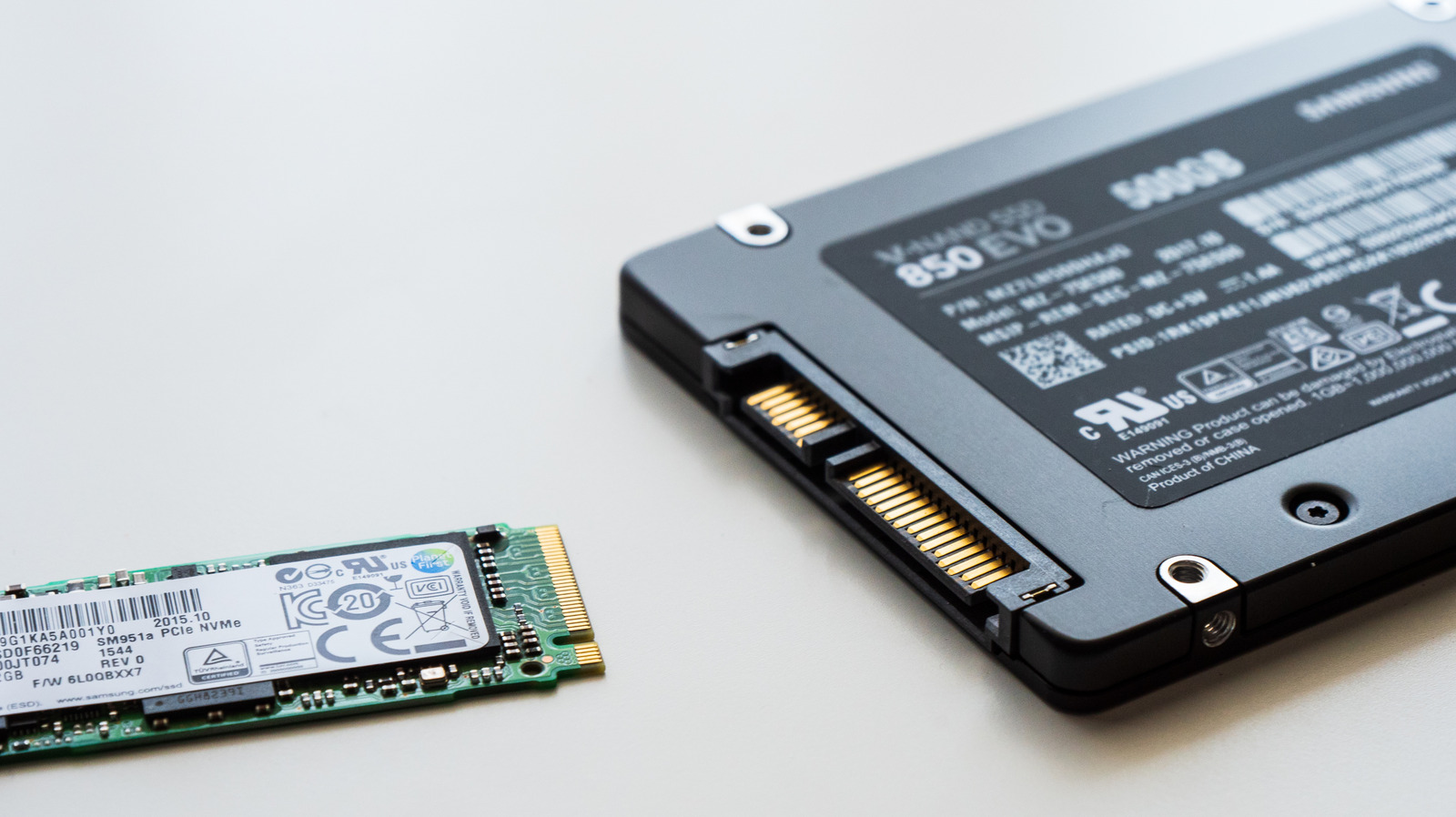
Although mechanical hard drives have long been outperformed by SSDs, buyers still face a choice between two SSD types: SATA and NVMe. Both store data on flash memory and are far faster than old spinning drives, but they differ in how they communicate with a computer.
SATA is the older standard, with its SATA III specification capping out theoretically at 600 MB/s, while fast consumer drives typically reach 500-560 MB/s in practice. NVMe (Non-Volatile Memory Express) was built specifically for solid-state storage and usually communicates over PCIe — even an older PCIe Gen3 drive can hit about 3,500 MB/s, while current Gen5 drives approach 15,000 MB/s.
Why the slot matters
SATA SSDs typically rely on the AHCI protocol, whereas NVMe was designed for the parallel workloads flash storage enables, communicating through PCIe. Not every M.2 slot on a motherboard is equal, though — some provide four PCIe lanes (x4), others only two (x2), or run on an older PCIe generation, any of which can bottleneck performance. It's also worth remembering that M.2 only refers to the physical form factor, not the connection type — both SATA and NVMe drives come in M.2 form, so checking a device's exact specifications before buying is essential.
Making the choice
For PCs that support it, NVMe is the more sensible primary drive, especially for large file transfers, video editing and other storage-intensive tasks. The fastest Gen5 drives can run hot enough that manufacturers like Crucial recommend a heatsink for optimal performance. Under everyday use, such as booting a system or loading games, the difference is far less noticeable, and switching from SATA to NVMe won't automatically boost a computer's overall performance or game frame rates.
On price, SATA can still be the cheaper option, though the gap varies by capacity and model. For older computers, secondary storage, or systems that have already used up their M.2 slots, SATA remains a practical choice. Still, Microsoft lists NVMe as a requirement for Windows 11 games that use DirectStorage technology.