Android Auto can be used outside the car, on an old tablet at home
With a second Android device, a USB cable and a third-party app, Android Auto can run on a spare tablet on a desk or kitchen counter. It is not an official Google feature and comes with several limitations.
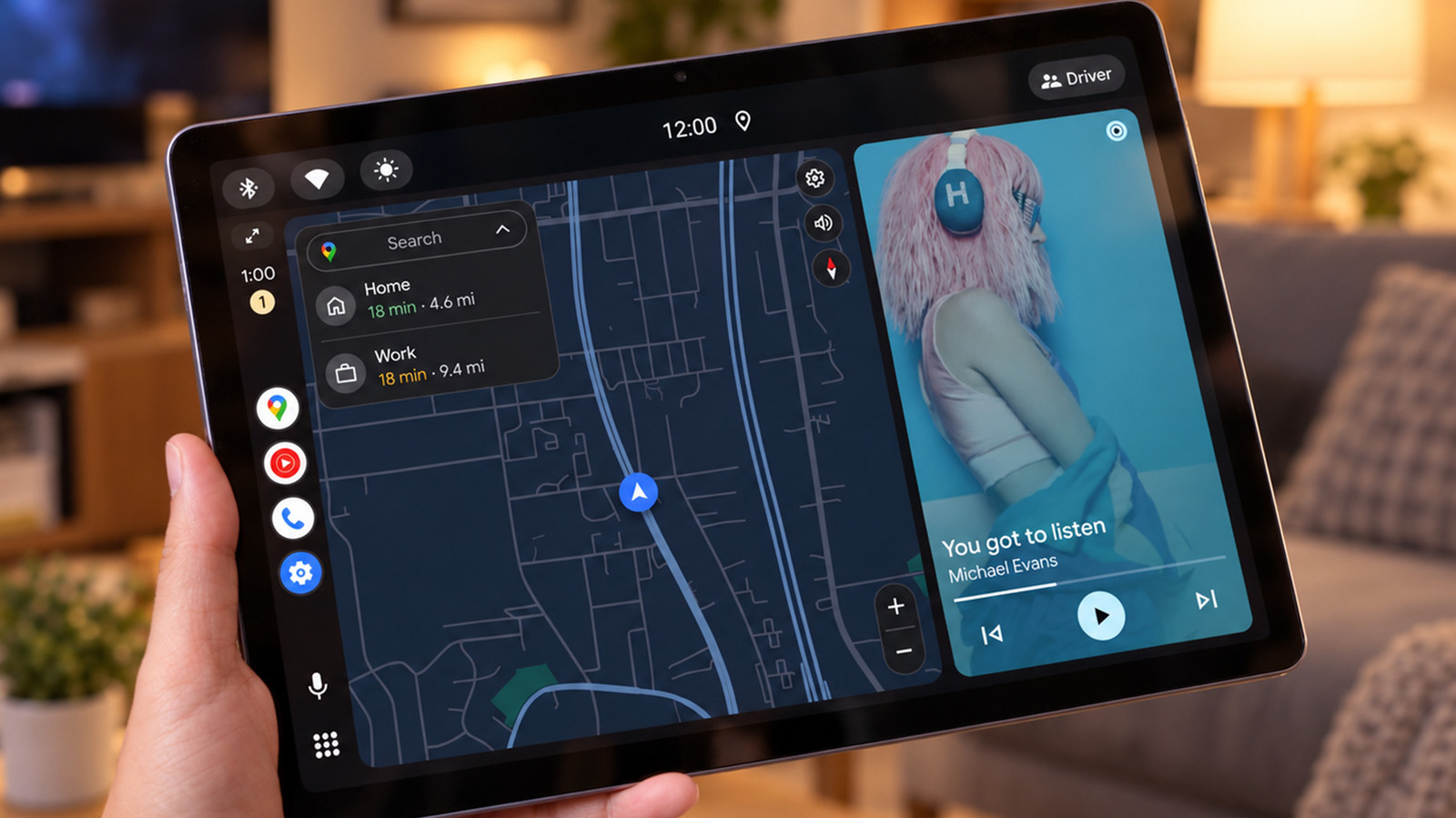
Android Auto, Google's software designed for car dashboard displays, can also run outside a vehicle. Tech outlet Engadget describes a setup that needs a spare Android tablet or phone, a data-capable USB cable and a third-party receiver app that stands in for the car's screen. The approach may suit an older tablet with worn-out battery life.
Android Auto runs on the phone and shows a simplified interface for maps, music and messaging on a compatible screen. Because the phone does the processing, the second device can be quite weak. The trick can turn an old tablet into an Android Auto display in a car, or place one on a desk or kitchen counter.
What you need
A wired setup requires an Android phone running Android 11 or newer, a second Android tablet or phone and a USB cable. A receiver app goes on the second device. One option is Open Headunit (formerly Headunit Revived), which costs $3.99 on Google Play and works with Android 5.0 or newer. An alternative is Headunit Reloaded at $4.99. Not every older tablet is compatible with the required USB connection.
After installing the app, connect the tablet to the phone, using an OTG adapter if needed, select Android Auto in the phone's USB options, then open the app on the tablet, tap USB, grant permission and pick the phone from the list. Approve any remaining prompts on the phone.
Both apps also offer Self-Mode, which runs Android Auto on the same device. This requires the device to have its own working Android Auto installation. Open Headunit's developer says that from Android Auto 17.4, the head unit server may need to be started in the developer settings first. Wireless connections are possible but need more setup. USB occupies the tablet's charging port.
Benefits and limits
Android Auto's interface has large controls, so music or a podcast can be paused without unlocking the phone. Messages can be read aloud and answered by voice. On compatible systems, Gemini can answer queries and control smart home devices through Google Home, though not always reliably. The limited app selection also reduces the chance of getting pulled into social media.
Drawbacks: if you only want Spotify or Google Home, running them directly on the tablet is simpler. Maps can dominate the screen when stationary, and the tablet's usual apps will not run. Message notifications may be visible to people nearby, the phone must stay connected, and paid services such as Spotify Premium still need their own subscriptions. Google's official instructions do not cover this home use.