Spotify Introduces Mix Feature – Create DJ-Style Transitions Between Songs
Spotify Premium subscribers can now use the Mix tool to customize transitions between songs in their own playlists, using AI-generated transitions and various effects.
What is Spotify Mix?
Spotify has launched a new feature called Mix, available to Premium subscribers on both mobile and desktop apps. Mix allows users to set custom transitions between songs only in playlists they create themselves – it cannot be used on automatically generated playlists like Discover Weekly or Daily Mix unless saved to a new playlist.
How Mix Works
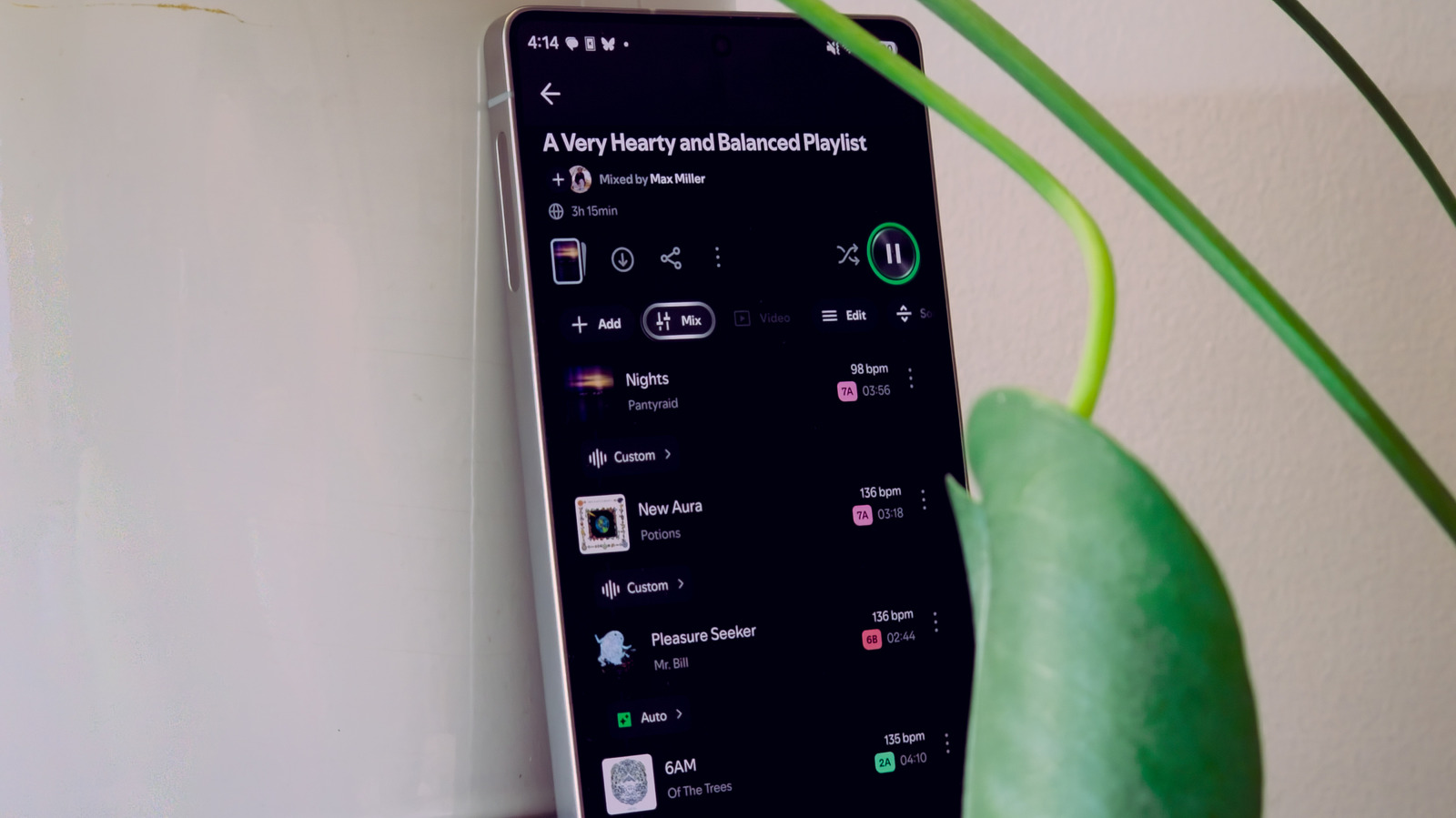
To enable Mix mode, select the Mix button from the controls below the play button. Spotify will automatically create AI-generated transitions between each song. Users can keep these transitions or customize them. It is helpful to arrange songs in the desired order before mixing, as changes later may be cumbersome.
Arranging Songs
In Mix mode, each song's tempo in beats per minute (BPM) is displayed. It is recommended to place songs with similar BPM next to each other for easier transitions. The Smart Reorder feature can assist with sorting. Additionally, the key of each song is shown using the Camelot Key system, which uses numbers 1-12 and letters A (minor) or B (major) to indicate compatibility. Moving forward in number increases energy, backward decreases it, and switching between A and B changes the mood.
Customizing Transitions
To customize a transition, tap the Auto button between two songs. This opens a mixer showing the waveforms of both songs, where you can drag to choose when the transition occurs. Many songs have beat markers to help align rhythms. Below the waveforms are several transition presets: Fade, Rise, Blend, etc. There are also three controls – Volume, EQ, and Filter – each with 7-9 presets to mix and match. On mobile, tap Customize to fine-tune the effect curves.
Saving and Playback
After setting a transition, tap Save to keep it, or tap X then Discard to undo. To listen to the playlist with transitions, ensure Mix is on and shuffle is off. To hear without transitions, toggle Mix off from the playlist controls.