Wi-Fi Router Antenna Positioning: A Simple Guide for Better Coverage
Properly positioning your router's antennas and the device itself can significantly improve Wi-Fi signal strength and reduce dead zones. The optimal setup depends on your home's layout and the type of router.
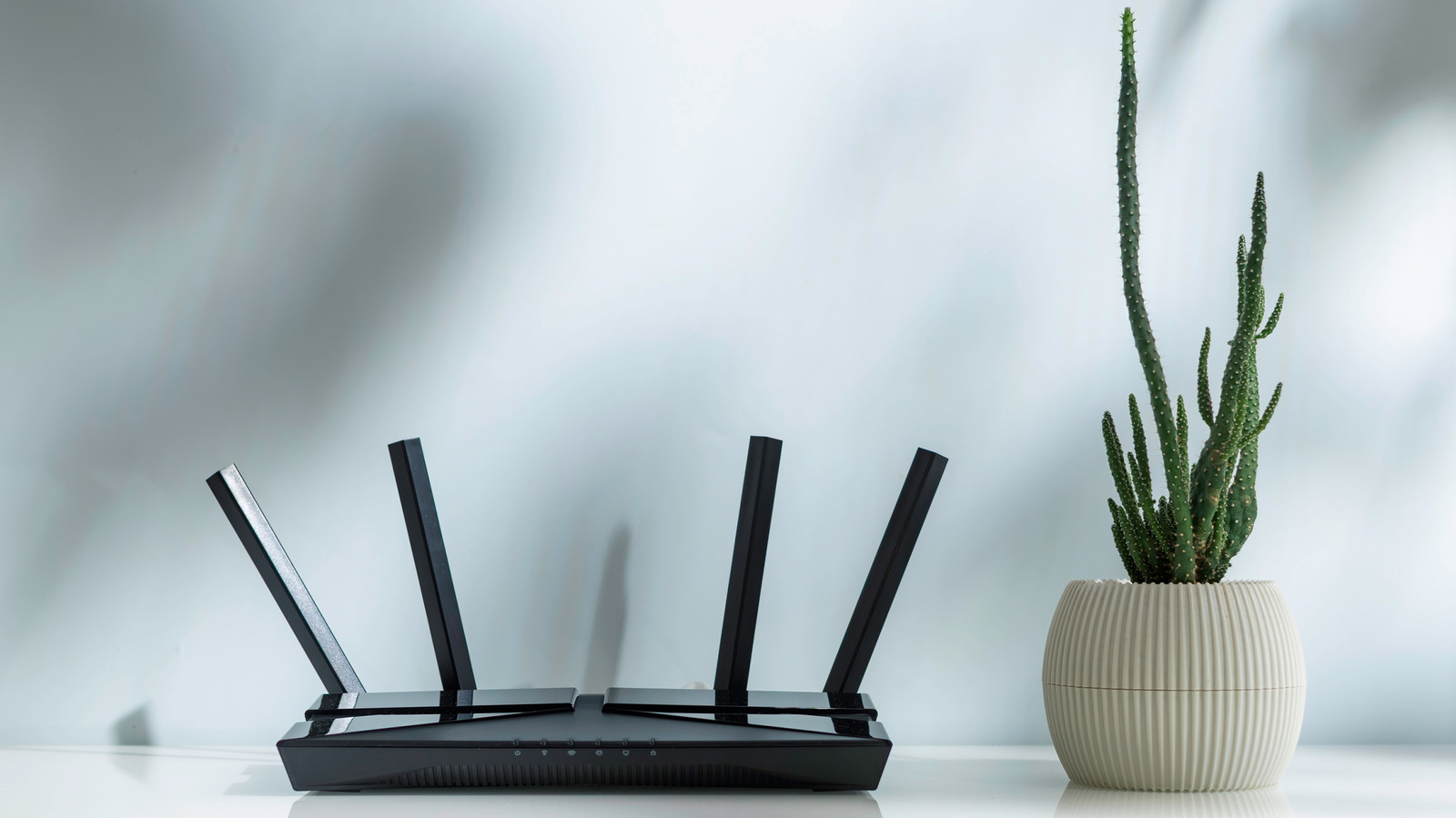
Most people set up their router once and forget about it, but small adjustments can make a big difference in performance. Router antennas are typically omnidirectional, meaning they broadcast signals in all directions simultaneously. However, the signal is strongest perpendicular to the antenna.
For homes with a single floor, pointing all antennas vertically is recommended. This causes the signal to radiate horizontally across the living space. In multi-story homes, a vertical orientation leaves other floors underserved. The solution, according to TP-Link, is to angle at least one antenna at approximately 30 degrees. This tilt spreads the signal both sideways and vertically, filling coverage gaps. Routers with multiple antennas can benefit from mixing orientations.
Modern dual-band routers operate on two frequencies: 2.4 GHz offers slower speeds but longer range and better wall penetration, while 5 GHz provides faster speeds with a shorter range and greater susceptibility to obstructions. Newer tri-band routers also support 6 GHz, delivering very high speeds with minimal interference, but the signal has extremely limited range and poor penetration through solid walls.
Besides antenna positioning, router placement is crucial. For best coverage, place the router in a central location, away from exterior walls that waste signal. It should be elevated about 1 to 1.5 feet off the ground, aligning the signal with most devices. Avoid placing the router near common household items that interfere with Wi-Fi, such as microwave ovens, fish tanks, Bluetooth devices, metal objects, and thick concrete walls. Combining proper antenna orientation with optimal placement will maximize your internet plan's speed and reliability.